 Hourfolio
Track your hours. Know what you earned.
Hourfolio is a time clock, timesheet and pay calculator in one. Clock in and out, take breaks, and see your hours, overtime and pay for the day, week and pay period. No account needed.

Free on iPhone, iPad, Apple Watch, Android and Wear OS.
Everything an hourly worker needs, nothing you don't
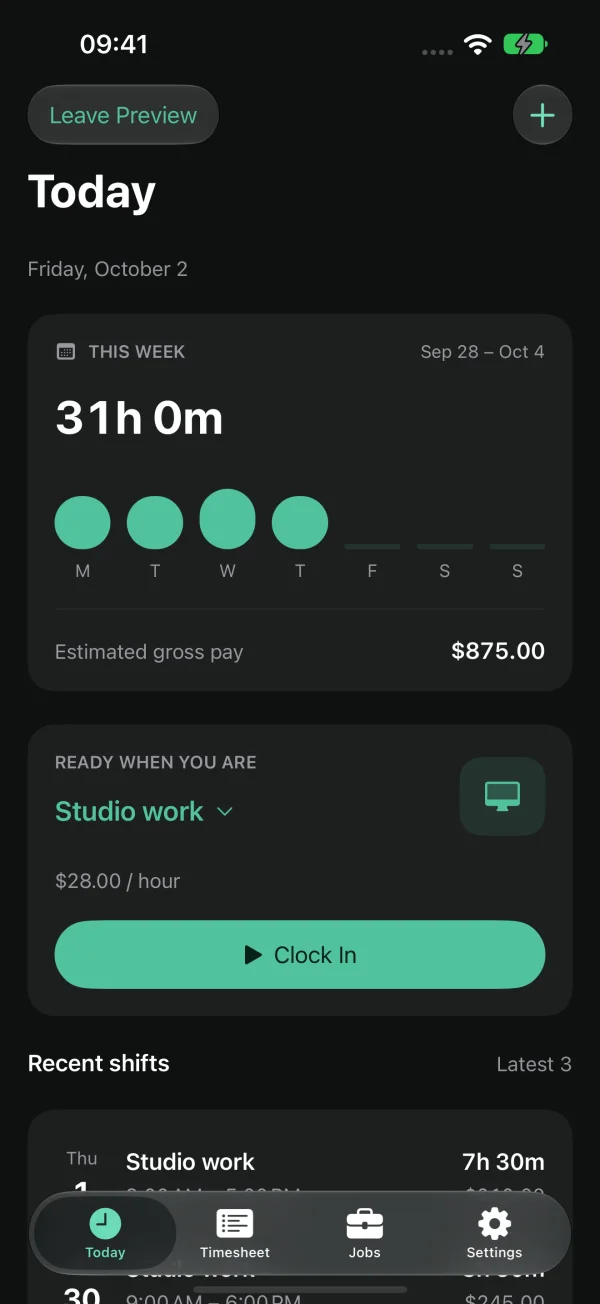
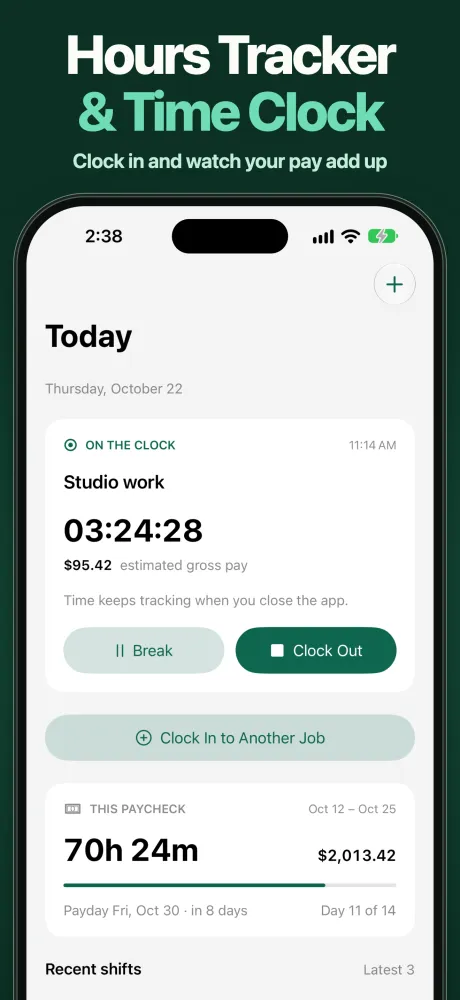
Hourfolio records your shifts and does the maths: hours, breaks, overtime and pay, by day, week and pay period.
Clock in and out
Start a shift with one tap, or add it by hand later. Several sessions a day, overnight shifts and time zones all work.
Paid and unpaid breaks
Take breaks as you go or set a default unpaid break. Only paid time counts toward your pay.
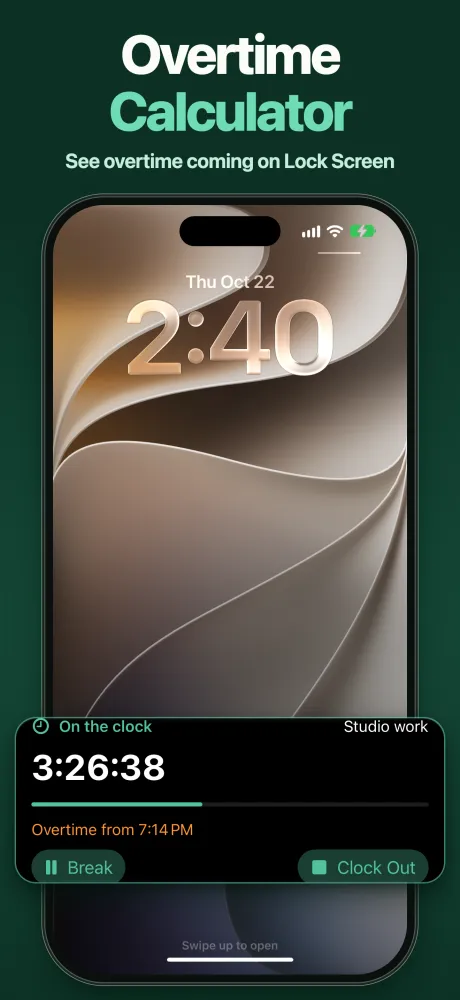
Overtime, done for you
Daily and weekly overtime at the rate you choose, such as 1.5× after 40 hours a week.
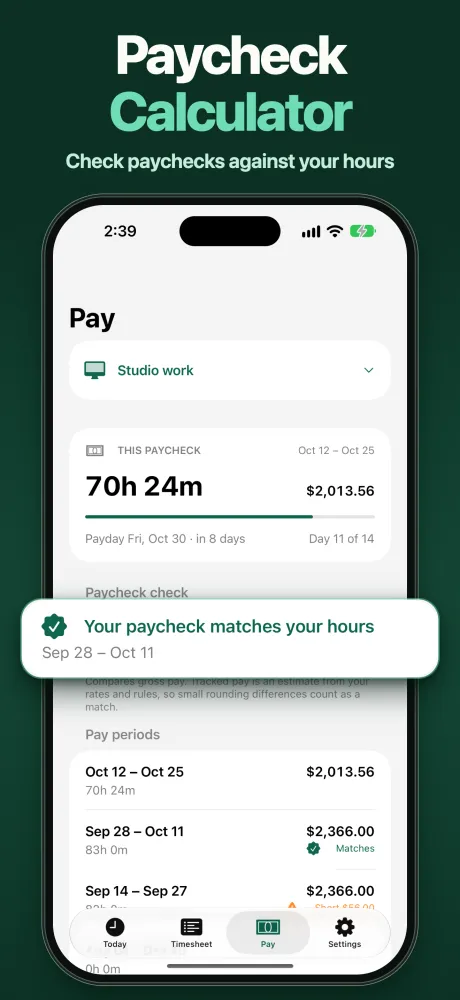
Pay and tips
Your earnings for the day, week, month or pay period, with tips and time rounding to 5, 6, 10, 15 or 30 minutes.
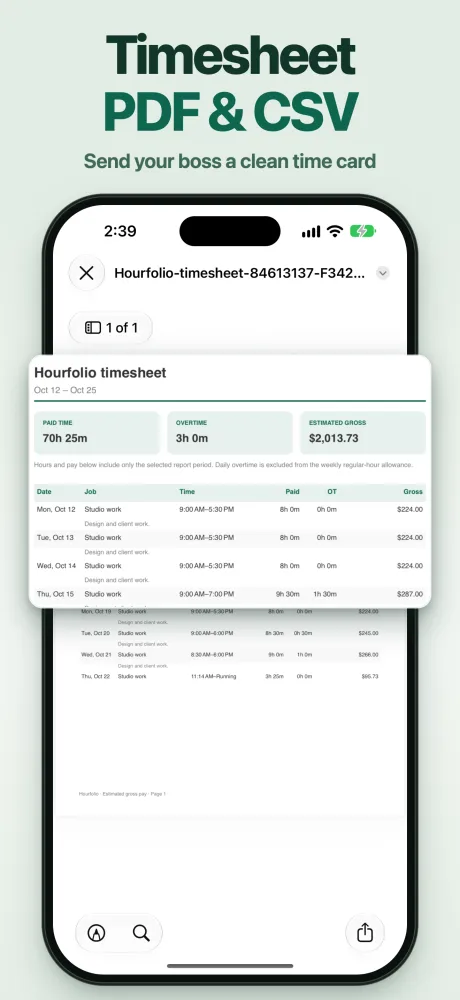
Timesheets and CSV
Weekly reports, CSV export and a PDF timesheet. Premium adds branded PDF timesheets and invoices.
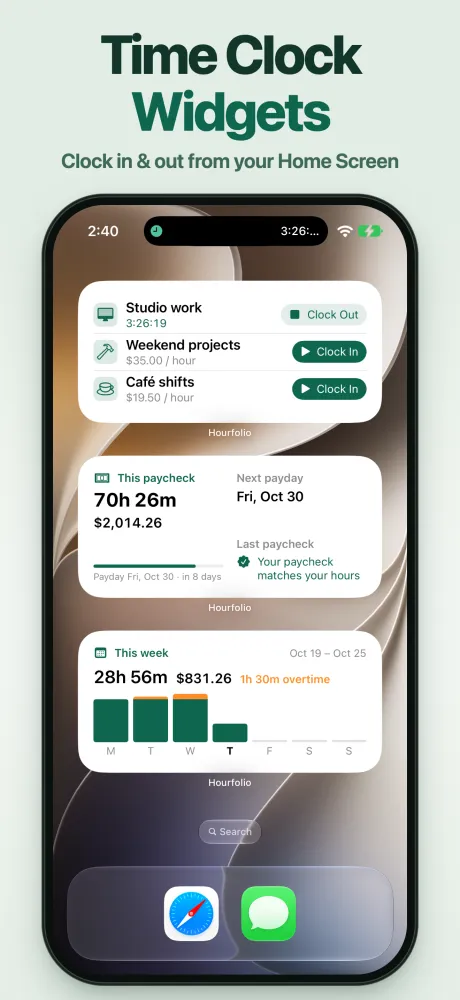
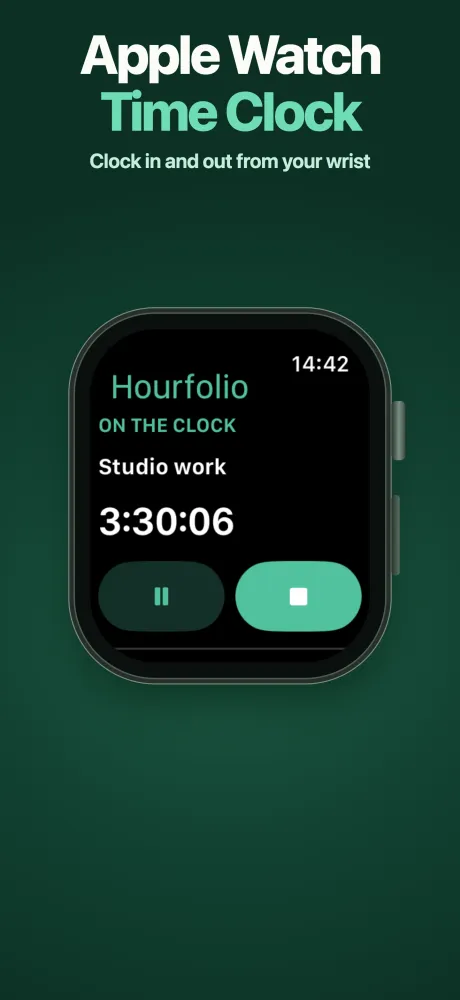
Watch, widgets and Live Activity
See your running shift on the Lock Screen, Home Screen and Apple Watch. Premium adds clock controls on the Watch, Siri and Shortcuts.
Every job you work
One job is free. Premium adds unlimited jobs, shift templates, mileage, and night, weekend and holiday pay.
Private by default
No Hourfolio account. Your records stay on your phone, with Face ID or a passcode lock, and optional iCloud sync with Premium.
See it on your phone
How it works
Add your job
Name it and set your hourly rate, currency and overtime rule.
Clock in, or add shifts
Tap to start and stop, or type in shifts you already worked.
See your hours and pay
Hourfolio totals hours, breaks, overtime and pay for any period.
Share a timesheet
Export CSV or a PDF timesheet for your manager or your own records.
Free work hours calculator
Enter a week of start and end times and breaks. Get total hours, overtime after 40 hours and gross pay. Nothing to install.
Free to start
Free to download. Hourfolio Premium is $19.99 a year with a 1-week free trial, or $2.99 a week. The store shows prices in your currency.
Free
- One job, unlimited history
- Clock in and out, breaks, tips
- Daily and weekly overtime
- Pay-period and monthly totals
- CSV export and backup
Hourfolio Premium
- Unlimited jobs and shift templates
- Branded PDF timesheets and invoices
- Paycheck check against your pay stub
- Night, weekend and holiday pay
- iCloud sync, Watch controls, Siri
Questions
Is Hourfolio free?
Yes. Hourfolio is free to download and free to use for one job, with unlimited history, clock in and out, breaks, daily and weekly overtime, the weekly timesheet and CSV export. There are no ads. Premium adds unlimited jobs, pay-period and custom reports, PDF timesheets, Paycheck check, Live Activities and more. See pricing for the full comparison.
How much does Hourfolio Premium cost?
Hourfolio Premium Yearly costs $19.99 a year and starts with a 1-week free trial for eligible new subscribers, on both iPhone and Android. On iPhone you can also choose Premium Weekly at $2.99 a week with no trial. On Android you can pay once for Lifetime at $29.99. All plans include the same features.
How do I cancel Hourfolio Premium?
Cancel through the store you bought from: on iPhone, open Settings › your name › Subscriptions › Hourfolio; on Android, open Google Play › Payments & subscriptions › Subscriptions › Hourfolio. Deleting the app does not cancel a subscription. To avoid being charged after the free trial, cancel at least 24 hours before it ends on iPhone, or before it ends on Android. Premium stays on until the end of the period you've paid for.
Can I get a refund?
Refunds come from the store that charged you. For App Store purchases, request one from Apple at reportaproblem.apple.com. For Google Play purchases, follow Google's refund policies or email support@ebsm.app with your order details.
Is Hourfolio available on Android?
Yes. Hourfolio is on Google Play for Android phones running Android 8.0 or later, with a Wear OS companion app. It tracks shifts, breaks, overtime and pay like the iPhone app. A few iPhone features, such as tips, mileage, time rounding, tags and sync, are not in the Android app. Premium bought on one platform does not carry over to the other.
Does Hourfolio work on Apple Watch?
Yes. The Hourfolio Apple Watch app shows your running shift and your week's summary for free. With Premium you can also clock in, start and end a break, and clock out from the watch. Watch actions need your paired iPhone within reach; an action that can't reach the iPhone isn't saved. On Android, a Wear OS companion works the same way.
Guides
Plain answers to the questions people ask us most.
How to calculate hours worked
Subtract your start time from your end time, then take off unpaid breaks. Worked examples, overnight shifts and a minutes-to-decimal hours table.
How to calculate overtime pay
US federal law pays overtime at 1.5 times the regular rate after 40 hours in a workweek. How to calculate it, with worked examples and daily overtime.
Track work hours on iPhone
Track work hours on iPhone with the Notes app, a spreadsheet or a time clock app. Step-by-step setup with Hourfolio, widgets, Apple Watch and Live Activities.
Timesheets for hourly workers
A timesheet lists each day's start and end times, breaks and hours, with weekly totals split into regular and overtime. What to include and how to make one.
Check your paycheck
Compare the gross pay on your pay stub with your own hours times your rate, overtime included. A worked example, common reasons for gaps and what to do next.
Track your work hours. Know what you earned.
Hourfolio: Work Hours Tracker. Free on iPhone, iPad, Apple Watch, Android and Wear OS.